
▣
Your infrastructure
ORINEX installs on a Windows system you control. Your Workspace data is processed there, not in an ORINEX SaaS environment.
ORINEX Workspace runs inside infrastructure you control and connects directly to Google. Your district keeps control of its Workspace data while ORINEX gives your team the tools to manage, secure, and audit it.
Your Workspace records stay between Google and systems you control. ORINEX doesn't operate a hosted tenant containing your directory, files, devices, or audit history.
ORINEX installs on a Windows system you control. Your Workspace data is processed there, not in an ORINEX SaaS environment.
ORINEX connects directly to Google using credentials issued and controlled by your district.
ORINEX ships no remote-access agent. There is no back door for us to reach your server, and no support tooling that phones home for one. Your server stays yours.
When the software runs in your environment, there is a lot less vendor infrastructure holding your data to evaluate.
Less data in our hands means less vendor-side exposure to evaluate.
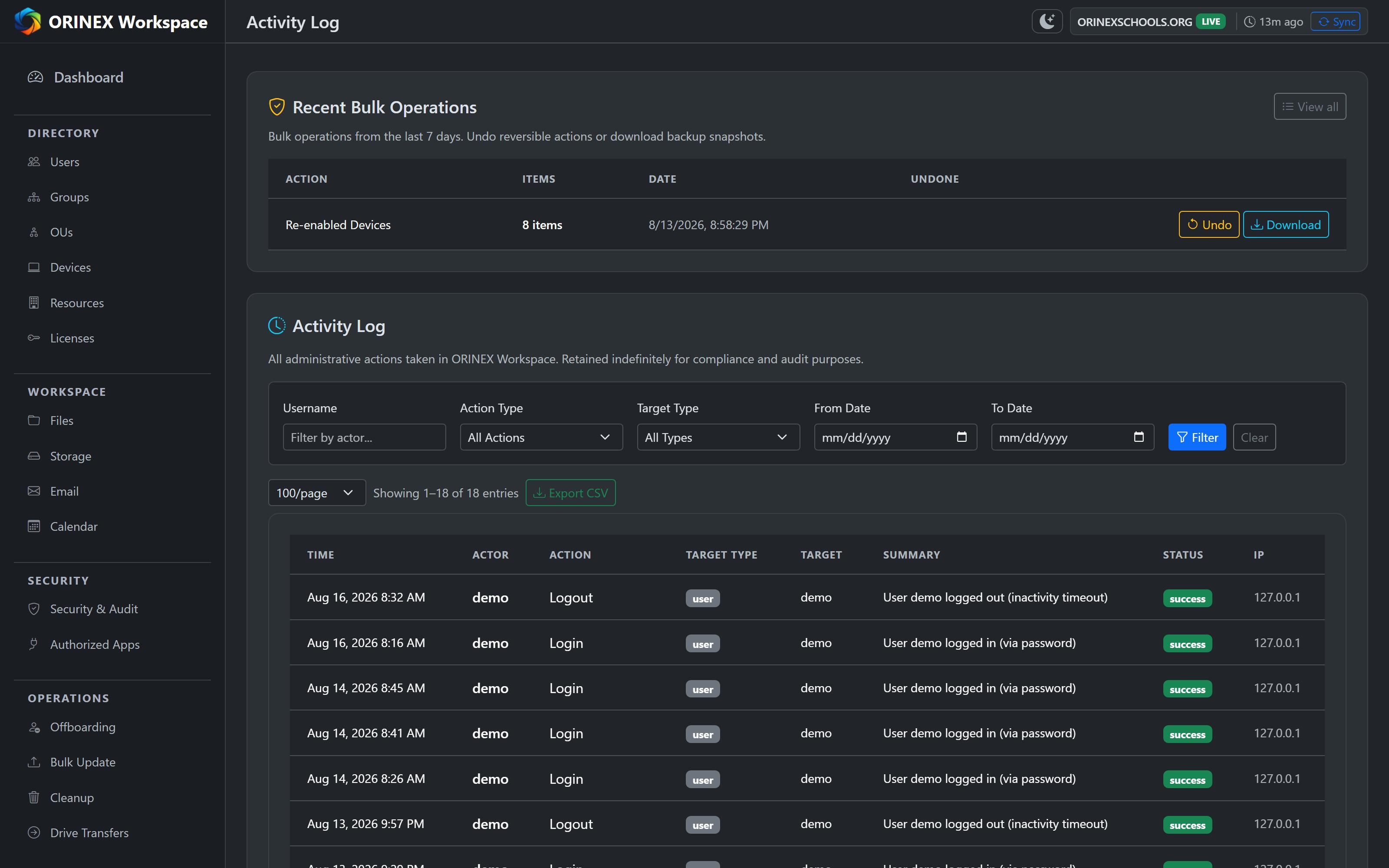
Powerful admin tools need accountability. ORINEX keeps a complete, exportable record of the administrative actions performed through it — actor, target, outcome and timestamp — filterable when you need to prove what happened. Google-side admin, sign-in and Drive activity is ingested separately, on the retention shown below.
ORINEX can perform Super Admin-level actions, so access gets its own layer of protection.
In the product today
Administrators sign in as themselves, not a shared login — which is what makes the audit trail meaningful. Three roles: super admin, admin, and a genuinely read-only viewer. New accounts start as viewer.
Standard TOTP from any authenticator app. Secrets are encrypted at rest with Windows DPAPI, backup codes are stored only as bcrypt hashes, and a super admin can require enrollment across every account.
Failed sign-ins trigger a lockout that lengthens with repetition. Password reuse is blocked by history, sessions log out after fifteen minutes idle, a super admin can revoke every active session, and an optional IP allowlist limits who reaches the server at all.
Stored credentials and application secrets are encrypted with Windows DPAPI. The interface is served over HTTPS with a certificate generated per install, and every state-changing request carries a CSRF token.
Need to verify something we haven't listed here? Ask us.
ORINEX needs a few outbound connections for licensing and updates. None of them carries your Google Workspace records.
Five fields: the license key, a machine fingerprint (a hash derived from hardware and system identifiers), the hostname, the platform, and an installation ID issued by the licensing service.
What any HTTPS request carries regardless of the sender: source IP, date and time, the API path and method, the response status, the user agent, and selected headers. That is the licensing provider's log, not something ORINEX assembles.
The application asks whether a newer version exists. An update downloads only when an administrator chooses to install one. Neither carries Workspace data.
Used only if the mail server you configure is unavailable. Seven fields: an opaque customer or order identifier, an installation identifier, the event type, when it was first detected, two fixed sentences ORINEX wrote describing the condition and the remedy, and an ORINEX reply address.
Google Workspace traffic goes directly between your installation and Google.
The full Data Practices statement adds the subprocessor list and the provider's own retention. Email us and we will send it.
You know what's kept, where it lives, and how long ORINEX keeps it.
| Data | Retention |
|---|---|
| Directory, device, group, license, calendar | Cache — refreshed from Google |
| Google audit events — admin and login | 90 days |
| Google audit events — Drive activity | 30 days |
| Bulk-operation backups and undo records | 7 days |
| Administrator accounts and the action log | Indefinite, on your system, by design |
| Scheduled ops, alert rules, report definitions | Until you change them |
Application secrets are encrypted at rest using Windows DPAPI.
ORINEX checks whether a newer version exists and tells you. An administrator decides whether to apply it, and when. Nothing installs itself, so a release never lands in the middle of your enrollment week.
ORINEX isn't a read-only dashboard. It performs real administrative actions across your Workspace environment, including bulk account, device, and Gmail operations.
We've documented the architecture, data flows, retention, and operational practices your district may need — published here, and downloadable as a PDF for your procurement or board file.